True-shape nesting, online and free
Gain access to advanced true-shape nesting software at zero cost. Optimise material usage and minimise waste to achieve cost savings and maximise productivity, for laser, plasma and router cutting. Runs online.
Opens online in a click. Nothing to install.
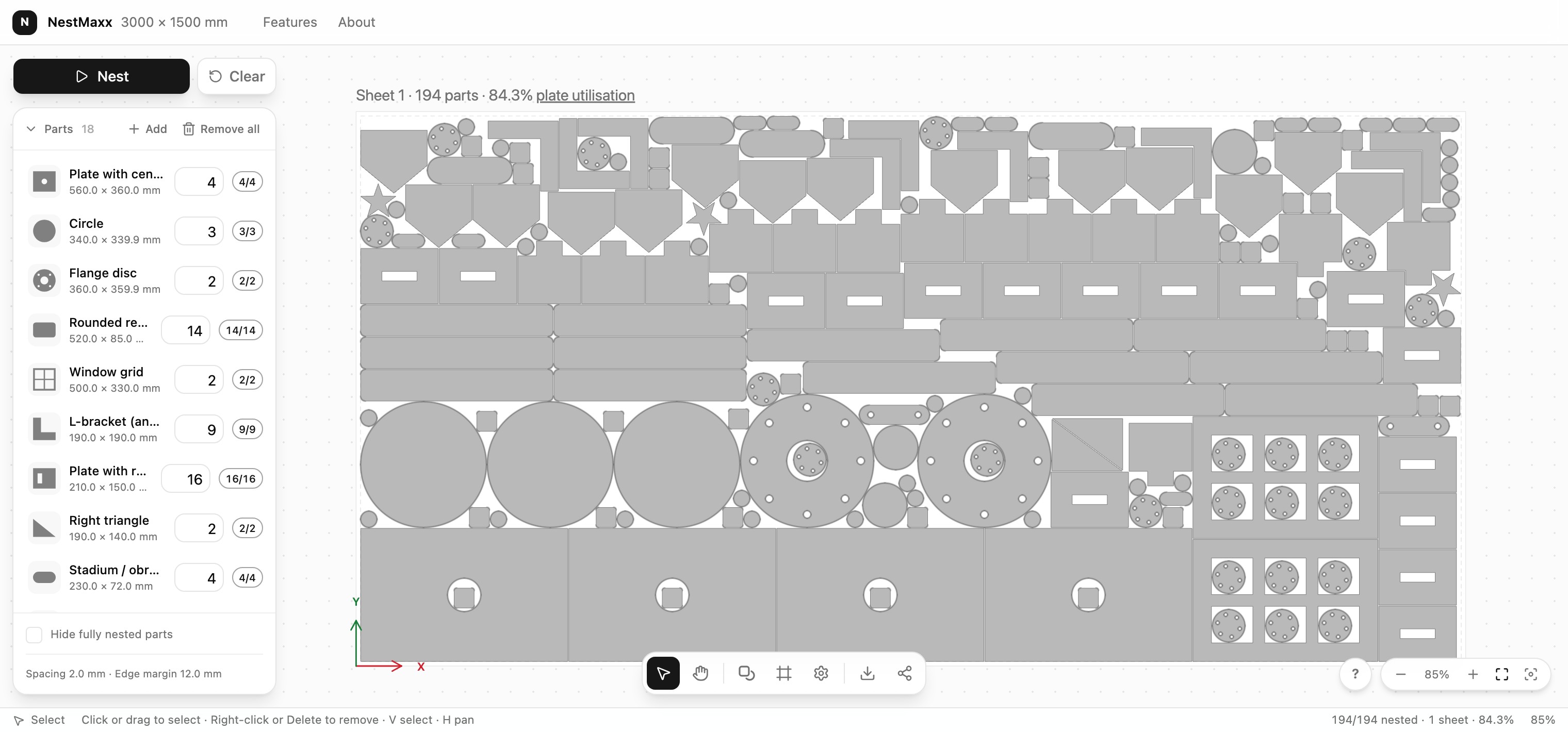
True-shape nesting algorithm
NestMaxx nests with the No Fit Polygon method. It finds every spot a part can sit against its neighbours without overlapping, then packs the real outlines tight instead of the bounding boxes other nesters settle for.
Turn scrap into stock
When a sheet is not full, the leftover crops off as one clean piece you can rack and reuse. That means less going into the scrap bin and more free material waiting for your next job.
No software bill
NestMaxx is completely free to use, with no subscription and no per-machine licence. You get unlimited nesting, a built-in 2D editor and 49 ready-made shapes, all included at no cost.
Works on desktop & tablet
Runs online on Windows, macOS, Linux and Android tablets. Reach for a laptop at the machine or a tablet out on the shop floor. Nothing to install and nothing to set up.
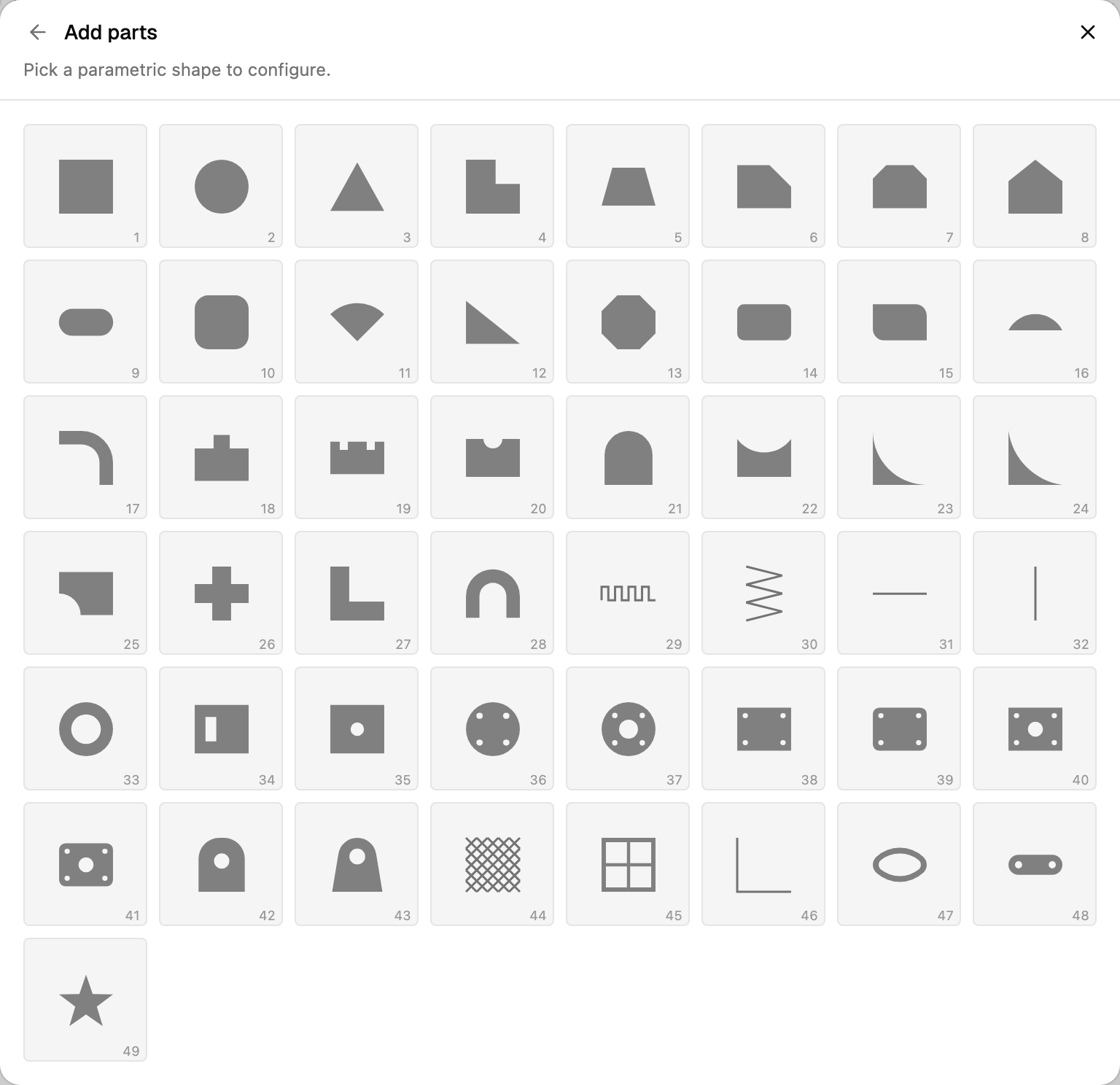
Built-in shape library
49 ready-made shapes - plates, discs, brackets, flanges, bolt-hole circles and more - each parametric: type your sizes in mm or inches and it drops straight into the nest. New users and seasoned drafters go from nothing to an exported, cut-ready sheet in minutes, with no CAD or vector software to buy or learn.
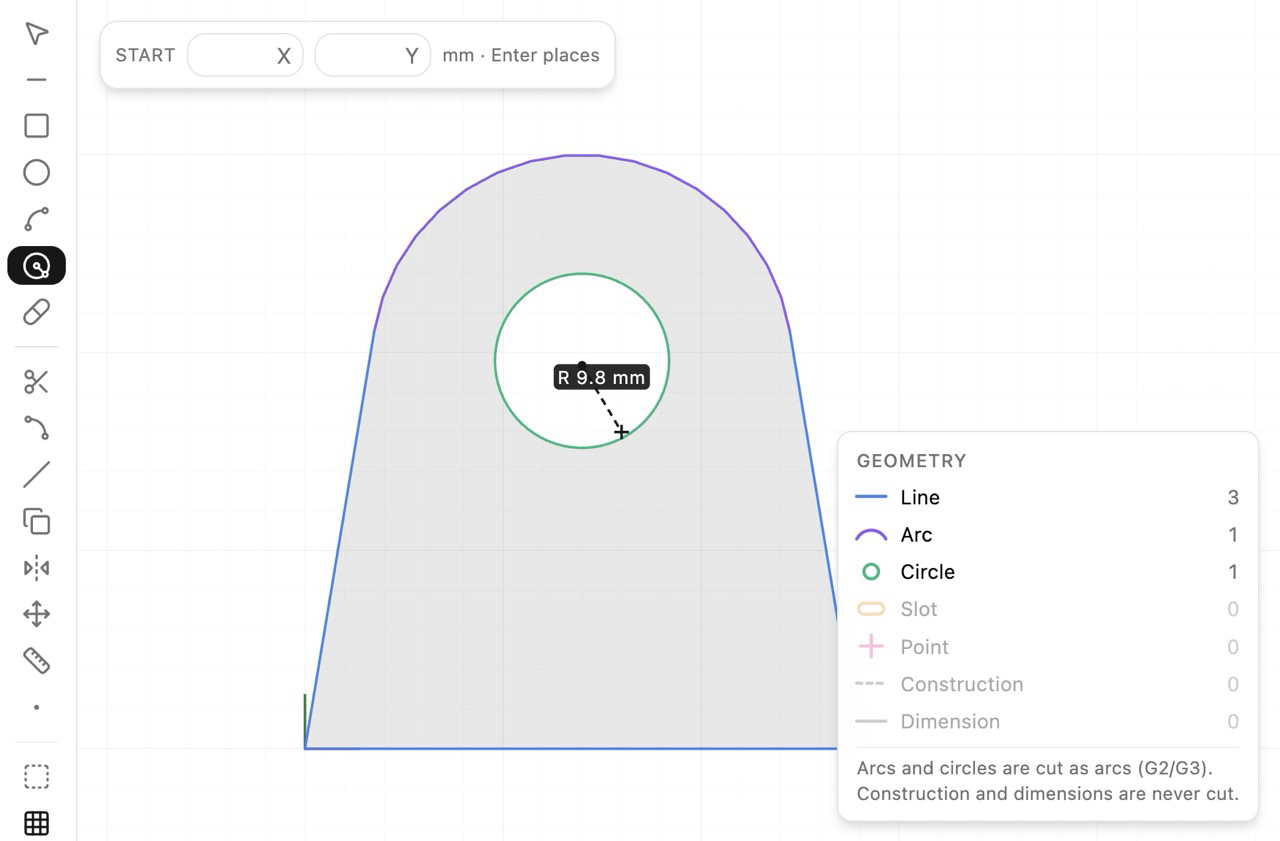
Built-in lightweight CAD editor
Need to draw a one-off part? NestMaxx has a built-in CAD editor - lines, arcs, circles, rectangles, fillet, trim, offset and snapping - the primitive drafting tools to draw a part online and nest it straight away, with no separate CAD or vector app.
What is nesting?
Nesting is the way parts are arranged on a sheet of material so they use as much of it as possible and leave as little scrap as possible. Wherever material is cut to shape - sheet metal, plywood, acrylic, foam or fabric - a tighter nest means more parts from the same sheet and less waste. On a CNC laser, plasma or router table, the nest is simply the layout the machine follows when it cuts.
What is nesting software?
Nesting software arranges 2D parts on a sheet automatically to reach the highest possible material yield. Instead of positioning every part by hand, you load your shapes, set the sheet size and spacing, and the software finds a tight layout in seconds. True-shape nesting software goes further: it packs each part by its real outline rather than a bounding rectangle, so curved and irregular parts interlock and even less material is thrown away. NestMaxx is free, online true-shape nesting software.
Why is nesting important in manufacturing?
In cut-to-shape manufacturing, material is usually the single biggest cost, so how tightly parts nest goes straight to the bottom line. A better layout means fewer sheets bought, less scrap, and a lower cost per part. Tighter nesting also shortens jobs and produces cleaner offcuts, so a shop is both more profitable and less wasteful. Across a production run, even a few percent of extra material yield adds up to real money saved.
Frequently Asked Questions
- What file formats can I import?
- DXF and SVG. Splines, ellipses and arcs come in as true curves, and you can choose which DXF layers to include and set the units per file.
- What can I export?
- The nested layout as a DXF (R12) or SVG, ready for another CAD/CAM package.
- Can I control rotation and grain direction?
- Yes. Let parts rotate freely, lock the grain axis so brushed or rolled stock runs one way, or set fixed angles - per part or for the whole sheet.
- Can I draw my own parts?
- Yes. Pick from 49 parametric shapes, or draw a part in the built-in 2D editor with lines, arcs, fillets and trims. It checks the outline is cut-ready before you nest.
- Does it nest across multiple sheets?
- Yes. It fills as many sheets as you allow, flags which parts did not fit, and can crop a reusable offcut from the leftover.
- How can I report a bug or request a feature?
- Email [email protected]. Bug reports and feature requests are always welcome.
Nest your first sheet
Add parts, press Nest, and watch them pack. It opens instantly - no sign-up.