Material Origin
The origin is the reference point on the sheet that every position is measured from. It is sometimes called the work zero. Setting it correctly matters when you take a layout to a machine, because the origin tells the machine where the material sits.
Where to set it
Open Dock > Sheet settings 
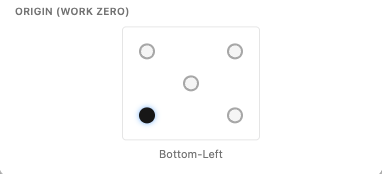
 . Alongside the sheet size you will find Origin (work zero), shown as a small grid of positions on the sheet.
Choosing a position
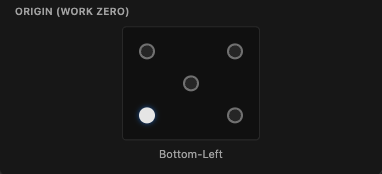
Click a position on the grid to place the origin at one of the four corners (Top-Left, Top-Right, Bottom-Left, Bottom-Right) or at the centre of the sheet. The chosen position is named just below the grid so you can confirm it, for example “Bottom-Left”.
For most CNC work the origin is set to the corner the machine treats as its zero, so pick the corner that matches your machine.
Why it matters
Everything on the sheet, including the cursor read-out you see while moving over the canvas (X ... Y ... mm), is measured from the origin. When you export a layout, the geometry is positioned relative to this point, so choosing the origin your machine expects means the parts land where they should on the real material. See Exporting DXF and SVG and Reading the Result.